The ledger, and the documents the audit tests against it.
65 analyses need nothing but the general ledger export. The other 67 test a population the ledger does not hold — the fixed-asset register, the bank statements, the payroll register. Load the document and Audit Scoot agrees it to the ledger balance it must match, then runs every analysis that reads it.
The general ledger, as the client's system exports it.
One file per period, .xlsx or .csv — only the current year is required; last year's ledger adds the comparatives. Name the column that holds each field once; the mapping and the account classification are kept for the next period, and "Start next year" opens a recurring client's next engagement with last year's columns, accounts and materiality already in place.
The import recognises these layouts by their headers, turns grouped reports back into journal lines, and says on its Columns screen which one it read:
- Xero Account Transactions report
- Xero General Ledger export
- QuickBooks General Ledger report
- Sage 50 Nominal Activity report
- NetSuite General Ledger search
- Business Central General Ledger Entries
- SAP line items (FBL3N)
- French FEC
- DATEV export
- Exact Online export
Exports from Xero, QuickBooks Online, Sage 50, NetSuite, Microsoft Dynamics 365 Business Central and SAP are in the application's reference corpus: each is imported, mapped, classified and drawn into statements that are checked against the same statements computed by hand.
Charts of accounts, by country
The engagement's country selects the chart of accounts the classifier reads to put every account on a statement caption: 34 countries — the 27 EU member states, Iceland, Liechtenstein, Norway, Switzerland, the United Kingdom, the United States and Canada.
- Plan Comptable Général (France)
- SKR 03 / SKR 04 (Germany)
- Plan General de Contabilidad (Spain)
- Decimaal rekeningstelsel (Netherlands)
- Plan Comptable Minimum Normalisé (Belgium)
- Schweizer Kontenrahmen KMU (Switzerland)
- BAS-kontoplanen (Sweden)
- NS 4102 (Norway)
Suggestions come with a confidence; what the classifier cannot place is counted as to review, and your corrections are remembered.
The client's trial balance.
Load the client's trial balance for the year, and last year's, beside the ledger. GL to Trial Balance then reconciles the ledger to it account by account and tests this year's opening balances against last year's closing; the balance sheet and income statement take their balances from it and say so on their face.
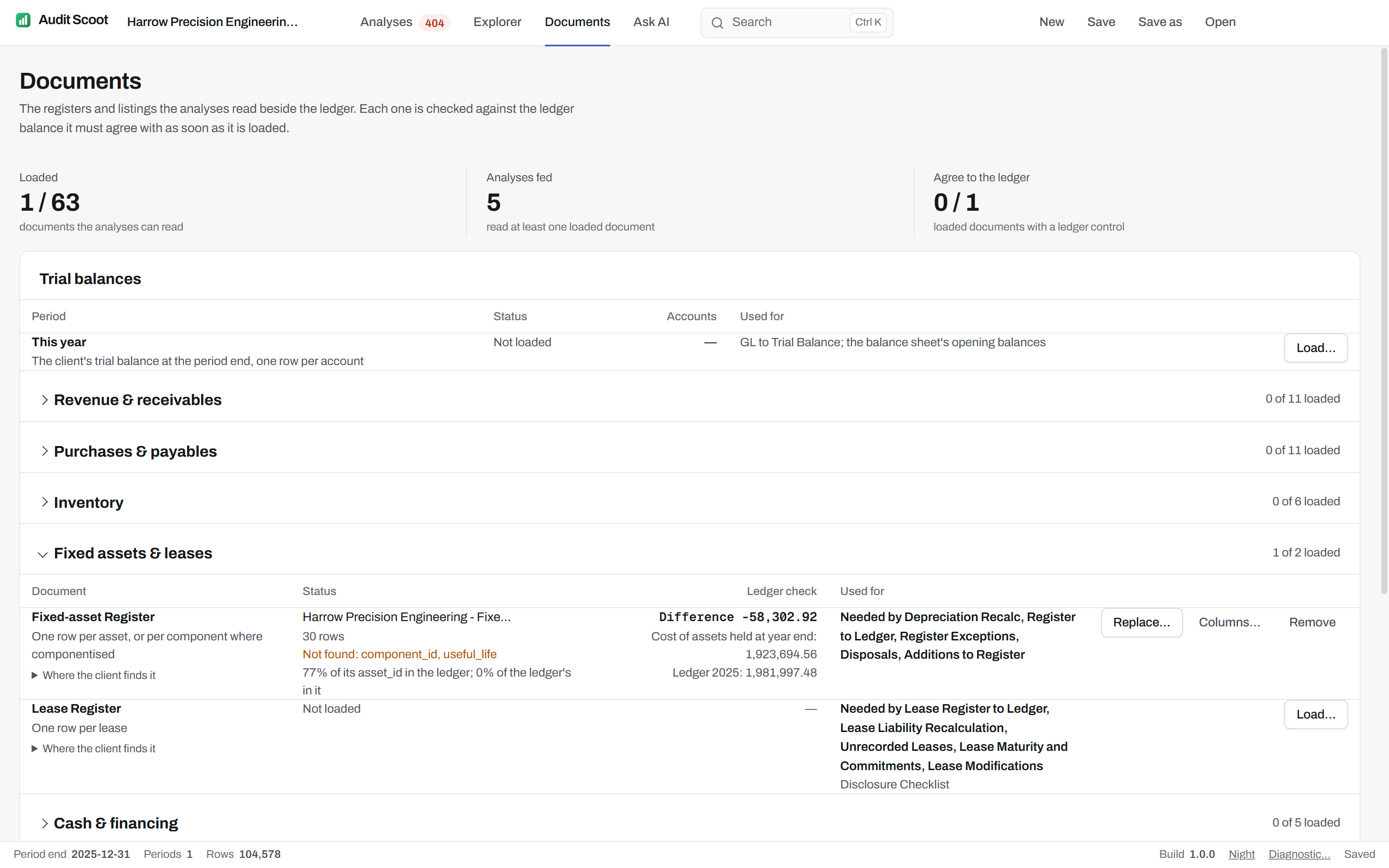
63 client documents, by audit area.
Each with what one row holds, the ledger figure it is agreed to on loading, the analyses that read it, and where the client finds the export.
Revenue & receivables
- Customer confirmation repliesOne row per confirmation request sent
- Read by
- Confirmations
Where the client finds it
- Xero
- The firm's confirmation log: one row per request, with the reply
- QuickBooks Online
- The firm's confirmation log: one row per request, with the reply
- Aged debtors listingOne row per open customer invoice at year end
- Agreed on loading to
- Open customer invoices
- Read by
- Confirmations, Subsequent Receipts, Aged Debtors to Ledger, Credit Limits and Customer Master
Where the client finds it
- Xero
- Reports › Aged Receivables Detail › as at year end › Export
- QuickBooks Online
- Reports › A/R Aging Detail › as of year end › Export to Excel
- Sage 50
- Customers › Reports › Aged Debtors Analysis (Detailed)
- NetSuite
- Reports › Customers/Receivables › A/R Aging Detail
- Business Central
- Customers › Reports › Aged Accounts Receivable
- Customer receipts after year endOne row per customer receipt after year end, allocated to an invoice
- Read by
- Confirmations (optional), Subsequent Receipts
Where the client finds it
- Xero
- Reports › Receivable Invoice Detail › paid after year end › Export
- QuickBooks Online
- Reports › Transaction List by Customer (Payments), dated after year end › Export to Excel
- Sage 50
- Customers › Reports › Customer Receipts, after year end
- NetSuite
- Reports › Customers/Receivables › Customer Payments, after year end
- Business Central
- Cust. Ledger Entries › Payments after year end › Open in Excel
- Customer contract termsOne row per contract or customer
- Read by
- Revenue Cutoff (optional)
- Contract WIP scheduleOne row per contract in progress at the year end
- Read by
- Contract WIP Schedule
Where the client finds it
- Xero
- The job / project WIP report (WorkflowMax, Simpro, Procore) exported per contract
- QuickBooks Online
- Projects › Project profitability, or the WIP schedule (Knowify, Buildertrend) per contract
- Sage 50
- The contract WIP schedule (Sage 300 Construction, COINS) per contract
- NetSuite
- Projects › Percent complete / WIP report per project
- Business Central
- Jobs › Job WIP › Open in Excel
- Credit-note listing with reasonsOne row per credit memo, with the invoice it credits
- Read by
- Credit Memos (optional)
Where the client finds it
- Xero
- Business › Invoices › Credit notes › Export
- QuickBooks Online
- Reports › Transaction List by Customer (Credit Memo) › Export to Excel
- Sage 50
- Customers › Reports › Customer Credit Notes
- Customer master fileOne row per customer master record
- Read by
- Credit Limits and Customer Master, Price Testing (optional)
Where the client finds it
- Xero
- Contacts › Customers › Export
- QuickBooks Online
- Sales › Customers › Export to Excel
- Sage 50
- Customers › Reports › Customer Details (credit limit, terms)
- NetSuite
- Lists › Relationships › Customers › Export
- Business Central
- Customers › Open in Excel
- Deferred revenue scheduleOne row per contract billed in advance
- Agreed on loading to
- Revenue deferred at year end
- Read by
- Deferred Revenue
Where the client finds it
- Xero
- The client's deferral workings (Xero has no deferral schedule)
- QuickBooks Online
- The client's deferral workings, or Revenue Recognition report where enabled
- NetSuite
- Reports › Revenue › Deferred Revenue Waterfall
- Despatch and delivery notesOne row per despatch against a sales invoice
- Read by
- Revenue Cutoff (optional)
- Price listOne row per item
- Read by
- Price Testing, NRV Testing (optional)
Where the client finds it
- Xero
- Business › Products and services › Export
- QuickBooks Online
- Sales › Products and services › Export to Excel
- Sage 50
- Products and Services › Price List › Export
- NetSuite
- Lists › Accounting › Items (base price) › Export
- Business Central
- Sales Prices › Open in Excel
- Sales invoice linesOne row per sales invoice line
- Agreed on loading to
- Invoiced in the year (credits to sales)
- Read by
- Price Testing
Where the client finds it
- Xero
- Reports › Sales by Item, or Receivable Invoice Detail by line › Export
- QuickBooks Online
- Reports › Sales by Product/Service Detail › Export to Excel
- Sage 50
- Customers › Reports › Invoice lines (Product Sales)
- NetSuite
- Reports › Sales › Sales by Item Detail
- Business Central
- Posted Sales Invoice Lines › Open in Excel
Purchases & payables
- Accruals listingOne row per accrual at the year end
- Agreed on loading to
- Accruals at year end
- Read by
- Accruals Listing, Inventory Cut-off (optional)
Where the client finds it
- Xero
- The accruals schedule behind the year-end journal, with the invoice received for each since
- QuickBooks Online
- The accrued expenses schedule, with the bill received for each since the year end
- Sage 50
- The accruals schedule, with the purchase invoice received for each since the year end
- NetSuite
- Accrued expenses (unbilled receipts) report, with the bill matched since
- Business Central
- Purch. Rcpt. Lines not invoiced at the year end › Open in Excel, with the invoice matched since
- Aged creditors listingOne row per open supplier invoice at year end
- Agreed on loading to
- Open supplier invoices
- Read by
- Aged Creditors to Ledger
Where the client finds it
- Xero
- Reports › Aged Payables Detail › as at year end › Export
- QuickBooks Online
- Reports › A/P Aging Detail › as of year end › Export to Excel
- Sage 50
- Suppliers › Reports › Aged Creditors Analysis (Detailed)
- NetSuite
- Reports › Vendors/Payables › A/P Aging Detail
- Business Central
- Vendors › Reports › Aged Accounts Payable
- Delegation-of-authority matrixOne row per approver per category per entity
- Read by
- Structuring (Smurfing) (optional)
Where the client finds it
- Xero
- The client's delegation-of-authority policy, one row per approver and limit
- QuickBooks Online
- The client's delegation-of-authority policy, one row per approver and limit
- Supplier invoices (PDF)One row per invoice document
- Read by
- Invoice Vouching
Where the client finds it
- Xero
- The bills' attached files (Files › Inbox, or Hubdoc / Dext) as PDFs, or a .zip of them
- QuickBooks Online
- The bills' attachments (Receipts, Dext, or the AP inbox) as PDFs, or a .zip of them
- Sage 50
- The scanned purchase invoices (Sage Attachments, AutoEntry) as PDFs, or a .zip of them
- NetSuite
- The vendor bills' file cabinet attachments as PDFs, or a .zip of them
- Business Central
- Incoming Documents › the attached PDFs, or a .zip of them
- Purchase invoices received after year end, with service periodsOne row per purchase invoice received after year end
- Read by
- Unrecorded Liabilities (optional)
Where the client finds it
- Xero
- Reports › Payable Invoice Detail › invoice date after year end › Export
- QuickBooks Online
- Reports › Unpaid Bills / Bill list, dated after year end › Export to Excel
- Sage 50
- Suppliers › Reports › Day Books: Supplier Invoices, after year end
- Supplier payment listingOne row per outgoing payment
- Agreed on loading to
- Supplier payments in the year
- Read by
- Vendor Master, Payments Review
Where the client finds it
- Xero
- Business › Bills to pay › Paid › Export
- QuickBooks Online
- Reports › Bill Payment List › Export to Excel
- Sage 50
- Bank › Reports › Supplier Payments
- Prepayments scheduleOne row per prepaid invoice
- Agreed on loading to
- Prepayments at year end
- Read by
- Prepayments Schedule
Where the client finds it
- Xero
- The prepayments schedule: each invoice with its service period and the part carried forward
- QuickBooks Online
- The prepaid expenses schedule (or the amortisation schedule), one row per invoice
- Sage 50
- The prepayments schedule, one row per invoice
- Purchase orders with receiptsOne row per purchase order line, with its receipt and the invoice that billed it
- Read by
- Unrecorded Liabilities (optional), PO, Receipt and Invoice Match
Where the client finds it
- Xero
- Business › Purchase orders › All › Export
- QuickBooks Online
- Reports › Open Purchase Order Detail, and Purchases by Vendor Detail › Export to Excel
- Sage 50
- Suppliers › Purchase Order Processing › Reports
- NetSuite
- Reports › Purchases › Purchase Order Detail (with receipts)
- Business Central
- Purchase Orders and Posted Purchase Receipts › Open in Excel
- Supplier statements at year endOne row per document on a supplier statement
Where the client finds it
- Xero
- Requested from each supplier: their statement of account at year end, one line per open item
- QuickBooks Online
- Requested from each supplier: their statement of account at year end, one line per open item
- Supplier master fileOne row per vendor master record
- Read by
- Payments Review (optional), Related Party, Relative Size Factor (RSF) (optional), Vendor Dependency (optional), Ghost Employees and Leavers (optional)
Where the client finds it
- Xero
- Contacts › Suppliers › Export
- QuickBooks Online
- Expenses › Vendors › Export to Excel
- Sage 50
- Suppliers › Reports › Supplier Details
- NetSuite
- Lists › Relationships › Vendors › Export
- Business Central
- Vendors › Open in Excel
- Supplier master change logOne row per field change to a vendor master record
- Read by
- Vendor Master, Payments Review (optional), SoD Violations (optional)
Where the client finds it
- Xero
- Settings › History and notes (Contacts) › Export
- QuickBooks Online
- Settings › Audit log › filter on Vendors › Export
- NetSuite
- Vendor record › System Notes › Export
- Business Central
- Change Log Entries › filter on table Vendor › Open in Excel
Inventory
- Goods received notes either side of the year endOne row per goods received note in the weeks either side of the year end
- Read by
- Inventory Cut-off
Where the client finds it
- Xero
- The warehouse's goods received log (or Purchase Orders › Billed / Received) for the last two weeks of the year and the first two of the next
- QuickBooks Online
- Item receipts (Expenses › Vendors, or the warehouse log) for the two weeks either side of the year end
- Sage 50
- Goods Received Notes (Accounts Professional) › list for the two weeks either side of the year end
- NetSuite
- Transactions › Purchases › Item Receipts search, two weeks either side of the year end
- Business Central
- Posted Purchase Receipts › Open in Excel, two weeks either side of the year end
- Post-count inventory adjustmentsOne row per adjustment posted after the count
- Read by
- Count Variances (optional)
Where the client finds it
- Xero
- Inventory adjustments (credit notes or manual journals) posted after the count
- QuickBooks Online
- Reports › Inventory Valuation Detail › filter on Inventory Qty Adjust
- Sage 50
- Products and Services › Adjustments history after the count date
- NetSuite
- Transactions › Inventory › Adjust Inventory › Search (after the count date)
- Business Central
- Phys. Inventory Ledger Entries › Open in Excel
- Inventory movementsOne row per stock movement
- Read by
- Count Variances (optional), Slow-Moving (SLOB), Unit Cost Test
Where the client finds it
- Xero
- Reports › Inventory Item Details (every movement, this year and last) › Export
- QuickBooks Online
- Reports › Inventory Valuation Detail (two years) › Export to Excel
- Sage 50
- Products and Services › Activity (all transactions) › Export
- NetSuite
- Reports › Inventory › Inventory Activity Detail
- Business Central
- Item Ledger Entries › Open in Excel
- Inventory valuation listingOne row per SKU per location
- Agreed on loading to
- Inventory at cost
- Read by
- Count Variances, NRV Testing, Slow-Moving (SLOB), Inventory Listing to Ledger, Unit Cost Test
Where the client finds it
- Xero
- Reports › Inventory Item Summary › Export
- QuickBooks Online
- Reports › Inventory Valuation Detail › Export to Excel
- Sage 50
- Products and Services › Reports › Stock Valuation
- NetSuite
- Reports › Inventory › Inventory Valuation Detail
- Business Central
- Inventory › Reports › Inventory Valuation
- Stock count sheetsOne row per SKU per location counted
- Read by
- Count Variances
Where the client finds it
- Xero
- The client's count sheets, one row per item and location counted
- QuickBooks Online
- The client's count sheets, one row per item and location counted
- NetSuite
- Transactions › Inventory › Inventory Count › Export
- Business Central
- Phys. Inventory Journal (counted lines) › Open in Excel
- Sales price history by itemOne row per sale line
- Read by
- NRV Testing
Where the client finds it
- Xero
- Reports › Inventory Item Details › Export
- QuickBooks Online
- Reports › Sales by Product/Service Detail › Export to Excel
Fixed assets & leases
- Fixed-asset registerOne row per asset, or per component where componentised
- Agreed on loading to
- Cost of assets held at year end
- Read by
- Additions to Register, Disposals, Depreciation Recalc, Register Exceptions, Register to Ledger
Where the client finds it
- Xero
- Accounting › Fixed assets › Registered › Export
- QuickBooks Online
- No register in QuickBooks — the client's asset spreadsheet or tax depreciation schedule
- Sage 50
- Company › Fixed Asset Register › Report › Fixed Asset Register
- NetSuite
- Fixed Assets › Reports › Asset Register
- Business Central
- Fixed Assets › Reports › Fixed Asset - Book Value
- Lease registerOne row per lease
- Read by
- Lease Liability Recalculation, Lease Maturity and Commitments, Lease Modifications, Lease Register to Ledger, Unrecorded Leases, Disclosure Checklist (optional)
Where the client finds it
- Xero
- The client's lease schedule (IFRS 16 / FRS 102 workbook or lease software export)
- QuickBooks Online
- The client's ASC 842 lease schedule (LeaseQuery, Visual Lease, or the workbook)
- Sage 50
- The client's lease schedule workbook
- NetSuite
- Lease Accounting (SuiteApp) › Lease Schedule › Export
- Business Central
- The lease module's schedule, or the client's IFRS 16 workbook
Cash & financing
- Bank confirmation repliesOne row per account a bank confirms
- Read by
- Bank Confirmations
Where the client finds it
- Xero
- The banks' replies to the confirmation requests, one row per account
- QuickBooks Online
- The banks' replies to the confirmation requests, one row per account
- Bank statementsOne row per movement on a bank statement
- Agreed on loading to
- Balances per bank at year end (the difference is the reconciling items)
- Read by
- Bank Reconciliation, Bank Confirmations (optional), Bank and Ledger Unmatched, Transfers Around Year End, Proof of Cash
Where the client finds it
- Xero
- Accounting › Bank accounts › Account transactions › Export (bank statement lines)
- QuickBooks Online
- Banking › Bank transactions, or the bank's own CSV export
- Sage 50
- The bank's own statement export (CSV, OFX or CAMT.053)
- NetSuite
- The bank's own statement export (CSV, BAI2 or CAMT.053)
- Business Central
- Bank Account Statements › Open in Excel
- Loan covenantsOne row per financial covenant
- Read by
- Covenant Compliance
Where the client finds it
- Xero
- The facility agreements: each financial covenant, its threshold and test date
- QuickBooks Online
- The facility agreements: each financial covenant, its threshold and test date
- Closing exchange ratesOne row per currency per rate date
- Read by
- Foreign Currency Revaluation
Where the client finds it
- Xero
- Settings › Currencies (rates used), or the central bank's closing rates
- QuickBooks Online
- Settings › Currencies › Exchange rates, or the central bank's closing rates
- Loan scheduleOne row per loan or facility
- Agreed on loading to
- Loans outstanding at year end
- Read by
- Loans and Interest
Where the client finds it
- Xero
- The client's loan workings and the lenders' statements
- QuickBooks Online
- The client's loan workings and the lenders' statements
Payroll
- Employee master fileOne row per employee
- Read by
- Related Party (optional)
Where the client finds it
- Xero
- Payroll › Employees › Export
- QuickBooks Online
- Payroll › Employees › Export
- Sage 50
- Sage Payroll › Reports › Employee Details
- Holiday balances at the year endOne row per employee at the year end
- Read by
- Holiday Pay Accrual
Where the client finds it
- Xero
- Payroll › Leave › Leave balances report (at the year end) › Export
- QuickBooks Online
- Payroll › Reports › Time off (PTO) balances › Export
- Sage 50
- Sage Payroll › Reports › Holiday balances
- NetSuite
- Payroll › Reports › Time-off balances
- Business Central
- The HR system's leave balances (BambooHR, Personio, Workday) at the year end
- HR change log (approved pay changes)One row per approved change to an employee record
- Read by
- Pay Changes and Overtime (optional)
Where the client finds it
- Xero
- Payroll › Employees › History and notes
- QuickBooks Online
- Settings › Audit log › filter on Employees › Export
- NetSuite
- Employee record › System Notes › Export
- Business Central
- The HR system's change history or signed salary-change forms
- HR employee list with salariesOne row per employee
- Read by
- Ghost Employees and Leavers (optional), Pay Changes and Overtime (optional), Payroll Analytical Review, Holiday Pay Accrual (optional), Access Lifecycle
Where the client finds it
- Xero
- Payroll › Employees › Export (with pay templates)
- QuickBooks Online
- Payroll › Employees › Export
- Sage 50
- Sage Payroll › Reports › Employee Details
- NetSuite
- Lists › Employees › Export (with compensation)
- Business Central
- The HR system's employee export (BambooHR, Workday, Personio…)
- Payroll registerOne row per employee per pay run
- Agreed on loading to
- Gross pay for the year
- Read by
- Payroll to Ledger, Ghost Employees and Leavers, Pay Changes and Overtime, Payroll Analytical Review, Payroll Filings, Holiday Pay Accrual (optional), Minimum Wage, Pension Auto-enrolment
Where the client finds it
- Xero
- Payroll › Pay runs › Payroll Activity Details report › Export
- QuickBooks Online
- Reports › Payroll Details › Export to Excel
- Sage 50
- Sage Payroll › Reports › Payroll Summary (by employee, by period)
- NetSuite
- Payroll › Reports › Payroll Register
- Business Central
- The payroll provider's register export (ADP, Paychex, Gusto…)
- Payroll tax filingsOne row per filing period
- Read by
- Payroll Filings
Where the client finds it
- Xero
- Payroll › Filings (RTI FPS/EPS in the UK; 941 and state filings in the US)
- QuickBooks Online
- Taxes › Payroll tax › Filings › Export
- Sage 50
- Sage Payroll › e-Submissions › FPS/EPS history
- NetSuite
- The payroll provider's filing summaries (941, W-3, RTI)
- Business Central
- The payroll provider's filing summaries (941, W-3, RTI, DSN)
Tax
- Deferred tax scheduleOne row per temporary difference
- Read by
- Deferred Tax
Where the client finds it
- Xero
- The deferred tax workings: one row per temporary difference
- QuickBooks Online
- The ASC 740 deferred tax workpaper: one row per temporary difference
- Tax authority account statementOne row per entry on the authority’s statement
- Read by
- Tax Authority Account
Where the client finds it
- Xero
- HMRC online account › Corporation Tax › View account; IRS account transcript; impots.gouv compte fiscal
- QuickBooks Online
- The IRS or state account transcript, or HMRC's corporation tax statement
- Sage 50
- HMRC online account › Corporation Tax › View account
- Corporate tax computationOne row per line of the tax computation
- Read by
- Tax Charge Proof
Where the client finds it
- Xero
- The tax computation (CT600 workings in the UK, Form 1120 workpapers in the US, liasse 2058-A in France)
- QuickBooks Online
- The tax computation, one row per line: item, category, amount
- Sage 50
- The tax computation, one row per line: item, category, amount
- VAT or sales tax returnsOne row per return filed
- Read by
- VAT Returns to Ledger
Where the client finds it
- Xero
- Accounting › Reports › VAT Return (each filed period) › Export, or the MTD submission receipts
- QuickBooks Online
- Taxes › Sales tax › Returns (filed) › Export; in the UK, VAT › History
- Sage 50
- VAT › VAT Return › History (each submitted return)
- NetSuite
- Reports › Tax › VAT/GST or Sales Tax Liability by period
- Business Central
- VAT Returns › Released and submitted › Open in Excel
Equity & legal
- Minutes and resolutions affecting equityOne row per resolution of the members or the board
- Read by
- Equity and Resolutions
Where the client finds it
- Xero
- The minute book: AGM and board resolutions on dividends, share issues and reserves
- QuickBooks Online
- The minute book: shareholder and board resolutions on distributions and stock issues
- Sage 50
- The minute book: AGM and board resolutions; Companies House filings (SH01) for allotments
- Charity fund registerOne row per fund
- Read by
- Charity Funds
Where the client finds it
- Xero
- Tracking category by fund › Profit and Loss and Balance Sheet by fund, or the funds schedule, one row per fund
- QuickBooks Online
- Classes or Locations by fund › Statement of Activity by Class, one row per fund
- Sage 50
- Departments or analysis codes by fund › the funds analysis note, one row per fund
- NetSuite
- Subsidiary or class by fund › Statement of Activities by fund (NetSuite for nonprofits)
- Business Central
- Dimensions by fund › Account schedule by dimension, one row per fund
- Litigation register from the lawyers' repliesOne row per case
- Read by
- Litigation and Provisions, Disclosure Checklist (optional)
Where the client finds it
- Xero
- The legal confirmation replies (one row per matter), with management's assessment beside the lawyer's
- QuickBooks Online
- The attorney letter responses (ASC 450), one row per matter
- Sage 50
- The solicitors' replies to the audit inquiry letters, one row per matter
- Register of directors and shareholdersOne row per officer, director or shareholder
- Read by
- Related Party (optional)
- Related-party listOne row per disclosed related party
- Read by
- Related Party (optional), Disclosure Checklist (optional)
IT controls
- Login historyOne row per login attempt
- Read by
- Access Lifecycle (optional)
Where the client finds it
- SAP
- SM20 security audit log (logon events) › Export
- Xero
- Settings › History and notes (log-ins) — or the identity provider's sign-in log
- QuickBooks Online
- Settings › Audit log › filter on Sign in › Export
- NetSuite
- Setup › Users/Roles › View Login Audit Trail › Export
- Business Central
- Microsoft Entra sign-in logs › Download
- User role assignmentsOne row per user per role
- Read by
- Access Lifecycle (optional), SoD Violations, SoD Matrix
Where the client finds it
- SAP
- SUIM › Users by roles (or table AGR_USERS) › Export, with composite roles expanded
- Xero
- Settings › Users (each user's role and permissions)
- QuickBooks Online
- Settings › Manage users › Roles › Export
- NetSuite
- Lists › Employees › Access tab (roles) › Saved Search › Export
- Business Central
- Users › Permission Sets › Open in Excel
- Segregation-of-duties rule setOne row per incompatible role pair
- Read by
- SoD Violations (optional), SoD Matrix (optional)
Where the client finds it
- SAP
- GRC Access Control rule set (or the client's own SoD matrix); optional — a default set is used
- Xero
- The client's SoD matrix, if any; optional — a default set is used
- QuickBooks Online
- The client's SoD matrix, if any; optional — a default set is used
- Accounting system audit logOne row per logged action
- Read by
- Super-User Activity
Where the client finds it
- Xero
- Settings › History and notes › Export
- QuickBooks Online
- Settings › Audit log › Export
- NetSuite
- Reports › Saved Searches › System Notes
- Business Central
- Change Log Entries › Open in Excel
- Transaction log by userOne row per transaction executed
- Read by
- SoD Violations (optional), SoD Matrix (optional)
Where the client finds it
- SAP
- STAD or ST03N transaction statistics by user (transaction codes) › Export
- Xero
- Settings › History and notes › Export (action per user)
- QuickBooks Online
- Settings › Audit log › Export (event per user)
- NetSuite
- Reports › Saved Searches › Transactions by Created By
- Business Central
- Change Log Entries by user › Open in Excel
- User list of the accounting systemOne row per ERP user account
- Read by
- Access Lifecycle, Super-User Activity (optional), SoD Violations (optional), SoD Matrix (optional)
Where the client finds it
- Xero
- Settings › Users › (copy the list)
- QuickBooks Online
- Settings › Manage users › Export
- NetSuite
- Lists › Employees › Employees (with Give Access) › Export
- Business Central
- Users › Open in Excel
Completion
- Cash-flow forecast for the going-concern assessmentOne row per forecast month
- Read by
- Going Concern Forecast
Where the client finds it
- Xero
- Management's twelve-month cash-flow forecast (Xero Analytics Plus › Cash flow, or the board pack)
- QuickBooks Online
- Management's cash-flow projection (QuickBooks Cash flow planner, or the board pack)
- Sage 50
- Management's cash-flow forecast workbook, one row per month
- Tests of controls summaryOne row per control tested
- Read by
- Tests of Controls
Where the client finds it
- Xero
- The team's controls testing summary: one row per control with its frequency, the sample tested and the deviations found
- QuickBooks Online
- The team's controls testing summary: one row per control with its frequency, sample and deviations
- Sage 50
- The team's controls testing summary: one row per control with its frequency, sample and deviations
- NetSuite
- The SOX / ICFR testing tracker (or the team's own summary), one row per key control
- Business Central
- The team's controls testing summary, one row per key control
- Draft financial statements, caption by captionOne row per caption of the draft financial statements
Where the client finds it
- Xero
- The draft accounts (Xero Tax / Advanced reports, or the accounts production package), one row per caption with its accounts
- QuickBooks Online
- The draft statements from the reporting package, one row per caption with its accounts
- Sage 50
- The draft accounts (Sage Accounts Production, Taxfiler, CaseWare), one row per caption with its nominal codes
- NetSuite
- The financial report layout (Financial Report Builder) exported with its account rows
- Business Central
- Account schedules (Financial Reporting) exported with their row definitions
- Notes to the draft accountsOne row per note to the draft accounts
- Read by
- Disclosure Checklist
Where the client finds it
- Xero
- The notes from the accounts production package (Xero Tax, or the draft accounts PDF), one row per note: number, title, text
- QuickBooks Online
- The notes from the draft accounts, one row per note: number, title, text
- Sage 50
- The notes from Sage Accounts Production, Taxfiler or CaseWare, one row per note: number, title, text
- NetSuite
- The notes to the draft statements, one row per note: number, title, text
- Business Central
- The notes to the draft statements, one row per note: number, title, text
- Intercompany balance confirmationsOne row per group entity confirming a balance
- Read by
- Intercompany Reconciliation
Where the client finds it
- Xero
- Each group company's balance with this entity at the year end (Xero aged reports per contact, or the group pack)
- QuickBooks Online
- Each group company's balance with this entity at the year end, from its own books
- Sage 50
- Each group company's balance with this entity at the year end, from its own books
- NetSuite
- Intercompany reconciliation report (OneWorld) at the year end
- Business Central
- Intercompany › IC partner balances at the year end › Open in Excel
- Proposed adjusting entriesOne row per line of a proposed adjusting entry
- Read by
- Adjusted Trial Balance, Lead Schedules (optional)
Where the client finds it
- Xero
- The audit adjustments schedule: one row per line of each entry, with its status (proposed, booked, waived)
- QuickBooks Online
- The proposed journal entries (AJEs), one row per line, with their status
- Sage 50
- The proposed journals, one row per line, with their status
- Events after the year endOne row per event after the year end
- Read by
- Subsequent Events, Disclosure Checklist (optional)
Where the client finds it
- Xero
- The subsequent events register: board minutes, legal replies and management's inquiry since the year end
- QuickBooks Online
- The subsequent events register (ASC 855), one row per event
- Sage 50
- The post balance sheet events register, one row per event
Before you send the client a request list.
Do we need every document before we start?
What happens when a document is loaded?
Which file formats does a document take?
Which general ledger exports does Audit Scoot read?
Do the documents leave the machine?
Run your next audit file test without the Excel crash.
One free engagement to evaluate, valid 60 days. The ledger never leaves the machine.
- 20 minutes
- Runs on a fictional engagement
- No client data required